





You are overwhelmed. A client calls to book an appointment — you do not answer. They hang up. The appointment does not happen. With Allo, your AI voice assistant answers on your behalf, checks your calendar in real time, and confirms the appointment directly during the call. Without disturbing you. Without scheduling errors. In this tutorial, I show you how to connect Cal.com to Allo in minutes — even without technical skills. Why connect your calendar to your AI voice assistant? When a client calls to book a slot, two scenarios exist: This is the difference between an answering machine and a real assistant. Why Cal.com? Cal.com is an open-source scheduling tool compatible with most calendars on the market: If your calendar is already synced with Cal.com, your Allo agent automatically has access to it. No need to reconfigure everything. What you need before starting That is all. Connection steps Step 1 — Prepare your Cal.com account If you have not done so yet, create your account on cal.com and connect your primary calendar to it. Cal.com handles the synchronization. Step 2 — Retrieve your Cal.com API key In your Cal.com space: Step 3 — Connect Cal.com in Allo In your Allo dashboard: The connection is immediate. Step 4 — Test in real conditions Call your own line. Ask to book an appointment. Verify that the agent checks your availability and confirms the slot. If the appointment appears in your calendar: it is operational. Concrete result As soon as the connection is active, your AI voice agent can: ✅ Check your availability in real time ✅ Suggest a suitable slot for the client ✅ Confirm and record the appointment ✅ Do this 24/7 — even while you sleep What type of activity is this useful for? This feature is particularly suitable if you are: Create your agent in minutes No Allo account yet? Creating a line and an agent takes less than 5 minutes. No commitment, no credit card required to start. 👉 Try Allo for free at numericia.fr
Create an AI voice agent for technical support by phone (24/7) with ALLO by Numericia: step-by-step tutorial
A technical support line that answers constantly, with natural conversation, low latency, consistent quality… without exhausting your teams: this is exactly what a well-designed AI voice agent enables. In this ALLO by Numericia tutorial, you will learn how to set up a voice agent capable of handling common technical support requests by phone, 24/7, relying on your technical documents in real time. And when the request exceeds its scope: it transfers to a human. Test ALLO (free & no commitment): https://numericia.fr TUTORIAL OBJECTIVE Deploy in production (or at least in real testing) an AI voice agent that: FOR WHOM? The demonstration uses a “product” example (a vacuum cleaner) to remain concrete. But the objective is clearly B2B, for environments where the phone remains a critical channel: WHY AN AI VOICE AGENT CHANGES THE GAME (REALLY) A well-framed AI voice agent is not “a gimmick.” It is an operational system that removes friction and adds speed to your support. What you gain, concretely: Key point: the agent does not replace your experts. It protects their time. It absorbs level 1, qualifies, documents, and escalates. WHAT YOU WILL SEE (STEP BY STEP) PREREQUISITES (TO AVOID A “PRETTY BUT USELESS POC”) Before configuring anything, you must decide on 3 things: Without these 3 points, you will have an agent that “speaks” well… but puts your support at risk. Operational advice: start with a simple and highly profitable scope (the 20 most frequent questions). Then expand. STEP 1 — CREATE & ASSIGN A PHONE NUMBER IN ALLO Objective: give your agent a real telephone presence, reachable. You can also choose to forward calls to this number whenever you see fit. What you do: Why this is strategic: Best practices: STEP 2 — ADD A TECHNICAL DOCUMENT TO THE KNOWLEDGE BASE Objective: the agent must rely on your documents during the call, in real time, instead of “improvising.” Example used in the demo: maintenance-manual-Rowenta-Air-Force-360-RH9057WO This point is the core of AI technical support. Without a document base, an AI voice agent can: With a properly fed knowledge base, the agent can: Tips for a “support-proof” knowledge base: STEP 3 — CREATE THE AI VOICE AGENT (TEMPLATE + CUSTOM PROMPT) Objective: start from a built-in template, then precisely customize the agent's behavior. To frame in the prompt (minimum): “Technical support” recommendation: Ask the agent to always end with: STEP 4 — ACTIVATE KEY FEATURES (ACCORDING TO YOUR CONTEXT) Objective: transform the agent into an operational support component, not just a conversational agent. Function 1: call transfer to a human Activate if: Transfer best practices: Function 2: caller language detection Activate if: Objective: avoid friction within the first 10 seconds. Function 3: appointment booking Activate if: The appointment becomes a clean escalation mechanism: the agent filters, then schedules the right slot. Function 4: post-call summary email Activate almost systematically. Why: good support is also about memory. The post-call summary reduces: Function 5: transcription Essential for: Function 6: conversation recording Useful, but must be regulated. Important note: if you enable recording, check your information/consent obligations according to your country and processes. STEP 5 — TEST CALL (REAL-WORLD SIMULATION) Objective: move beyond “interface testing” and validate the agent under the conditions that matter: a call. Recommended test scenario (technical support): What you should measure: EXPECTED RESULT At the end, you obtain: In other words: a real, industrialized “level 1” voice system that protects your humans and improves the customer experience. BEST PRACTICES (FOR “PRODUCTION” SUPPORT QUALITY) FAQ What is an AI voice agent for technical support? It is an intelligent phone assistant that answers calls, understands requests, relies on a knowledge base (manuals, procedures, FAQs), and resolves simple cases. It escalates to a human when the request exceeds its scope. Can the agent really use a technical manual during the call? Yes, if you add your documents to the knowledge base. The agent relies on them in real time to guide the caller step by step, rather than giving generic answers. Is it suitable for B2B? Yes. After-sales service, technical support, hotlines, ops teams, contact centers: anywhere availability and quick qualification save time and prevent incidents. Can the agent transfer to a human? Yes. Call transfer is a key feature. It can be triggered based on rules: urgency, failure after X steps, dissatisfied customer, out-of-scope request, etc. Can language detection be activated? Yes. Automatic language detection improves the experience from the first seconds and reduces misunderstandings. Can a summary email be sent after the call? Yes. It is highly recommended: the post-call summary reduces callbacks and improves traceability. Transcription and recording: is it legal? This depends on your country and your information/consent obligations. If you enable recording, set up an information message, a retention policy, and access control. How to test ALLO by Numericia? You can test for free and without commitment via https://numericia.fr CONCLUSION + NEXT STEP Phone support is an area where performance is measured immediately: wait time, response quality, resolution rate, escalation, satisfaction. A well-configured AI voice agent does not “look pretty.” It saves time, reduces friction, and increases perceived quality. If you want to move from the tutorial to a clean deployment (scope, rules, escalation, compliance, knowledge base, performance measurement), start by testing the tool. Test ALLO (free & no commitment): https://numericia.fr
How does an AI phone system answer my questions and schedule an appointment with such ease?
What if your phone switchboard could answer complex questions about your services and schedule your appointments without you ever picking up? I filmed a real-time test call to my own ALLO AI agent. Intelligence: This is concrete proof that you can delegate your phone reception 100% while guaranteeing a premium customer experience. 🔗 Set up your switchboard operator in 5 minutes! https://allo.numericia.fr/login
How to purchase a phone number for your AI switchboard?
Your AI agent is ready, but how do you enable it to receive and make real calls? In this tutorial, I show you how to obtain your dedicated professional phone number on ALLO. I guide you step by step through the interface to:
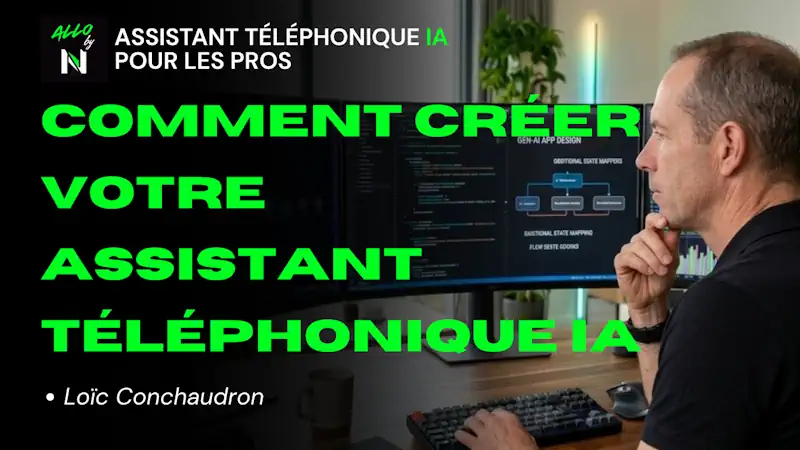
How to create an AI voice phone assistant with the ALLO by Numericia application
In this no-frills video tutorial, I show you the ALLO by Numericia interface and the exact steps to make your assistant operational immediately:
Protected: Rapport de Cadrage Stratégique et Technique Home Africa
There is no excerpt because this is a protected post.

Assess your digital presence
Is your website a true asset for which you own 100% of the code and data, or do you depend on a “closed” solution?

LinkedIn for Industry: A Complete Guide to Generating Qualified Leads and Expanding Your Professional Network
LinkedIn for Industry: Complete Guide to Generating Qualified Leads and Developing Your Professional Network | NUMERICIA LinkedIn for Industry: Complete Guide to Generating Qualified Leads and Developing Your Professional Network You run a high-performing industrial SME. Your technical expertise is recognized, your long-standing clients trust you. But here is the reality: 70% of the B2B purchasing journey now takes place online before the first commercial contact. While your qualified prospects are actively searching for solutions you offer, they are not finding you. They are finding your competitors. LinkedIn is not just another social network. It has become the critical infrastructure for industrial B2B commerce. With over 26 million users in France and a unique concentration of industrial decision-makers, LinkedIn is the only place where your sales director can make direct contact with the technical director of a strategic prospect, without intermediaries, without trade shows, without cold calls. This guide is not another tutorial on «how to create a LinkedIn profile.» It is a strategic action plan to transform your LinkedIn presence into a qualified lead generation system and develop a professional network that generates measurable business opportunities. Let's talk business, let's talk ROI, let's talk growth. Table of Contents 1. Why LinkedIn Has Become Essential for B2B Industry 2. Optimizing Your LinkedIn Profile for Conversion (Not Vanity) 3. Transforming Your Company Page into a Commercial Powerhouse 4. Advanced Lead Generation Strategies on LinkedIn 5. Developing a Professional Network That Generates Opportunities 6. Creating Authority Content That Attracts Decision-Makers 7. Measuring the ROI of Your LinkedIn Strategy 8. FAQ – Your Questions on LinkedIn for Industry 1. Why LinkedIn Has Become Essential for B2B Industry The numbers do not lie. According to LinkedIn Business, the platform generates 80% of B2B leads from social media. For industry, this figure is even more significant: industrial decision-makers use LinkedIn as their primary tool for technology monitoring and supplier research. The Silent Revolution of the Industrial Purchasing Journey B2B buying behavior has radically changed. A Gartner study reveals that B2B buyers spend only 17% of their time meeting potential suppliers. The rest? Online research, consulting expert content, peer validation. And all of this happens on LinkedIn. For French industrial SMEs, this transformation creates a historic opportunity. According to an Infopro Digital study, 70% of French B2B buyers bypass external consultants and favor suppliers who have established their authority upstream. LinkedIn is precisely where this authority is built. The Real Cost of Invisibility on LinkedIn Every day your company is not visible on LinkedIn, your competitors capture opportunities that should be yours. A prospect who does not find you online will never contact you. Digital invisibility is not neutral: it is a silent hemorrhage of business opportunities. LinkedIn vs. Other Industrial Acquisition Channels Acquisition Channel Cost per Qualified Lead Conversion Time Targeting Quality Trade Shows €500 – €2000 6-12 months Average Google Ads €150 – €500 3-6 months Average LinkedIn (Organic + Ads) €50 – €300 1-3 months Very High Phone Prospecting €200 – €800 3-9 months Low Source: Comparative analysis based on LinkedIn Marketing Solutions and HubSpot data. 2. Optimizing Your LinkedIn Profile for Conversion (Not Vanity) Your LinkedIn profile is not an online CV. It is your digital commercial showcase. Every element must answer a question your prospect asks: «Why should I contact you rather than someone else?» Profile Photo: Credibility and Professionalism Profiles with photos receive 21 times more views and 36 times more messages according to LinkedIn. For an industrial leader, the photo must project authority and accessibility. Neutral background, professional attire, direct eye contact. No vacation photos, no company logo instead of your face. Headline: Your Value Proposition in 120 Characters Forget «CEO at [Company Name].» Your headline must explain the value you create. Effective examples for industry: «CEO Aerospace SME | Precision Machining Specialist for Critical Parts | 25 Years of Expertise» «CEO [Company] | Industrial Robotic Solutions for Production Line Automation» «Advanced Metallurgy Expert | Partner to Defense and Aerospace Leaders» Your headline must contain keywords your prospects use to find you. Think SEO: what terms would a technical director search for to find your expertise? Summary (About Section): Talk Business, Not Biography Your summary should follow this proven structure: Hook (Problem): «Technical directors in aerospace face a challenge: finding suppliers capable of guaranteeing ±0.005mm precision on complex parts.» Solution (Your Expertise): «For 25 years, our design office and 5-axis machining workshop have delivered critical certified EN9100 parts for Airbus, Safran, and Dassault.» Proof (Results): «Over 500 projects delivered, 99.2% first-part conformity, 98% on-time delivery.» Call to Action: «Have a complex machining project? Contact me for a no-obligation technical discussion.» According to HubSpot, profiles with a complete, value-oriented summary generate 40% more inbound messages than generic profiles. Experience: Demonstrate Your Results Do not list your responsibilities. Quantify your achievements. Replace «Head of Business Development» with «Grew export revenue from €2M to €8M in 4 years by acquiring 12 new strategic accounts in Germany and Italy.» Recommendations: Your Social Proof Recommendations from clients, partners, or peers are your credibility capital. Actively solicit recommendations from your best clients. A recommendation from an Airbus technical director is worth more than 100 certifications. 3. Transforming Your Company Page into a Commercial Powerhouse Your LinkedIn company page is often the first point of contact between your company and a qualified prospect. According to LinkedIn, 80% of