




A technical support that responds continuously, with natural conversation, low latency, consistent quality… without exhausting your teams: this is exactly what an AI voice agent enables when properly designed.

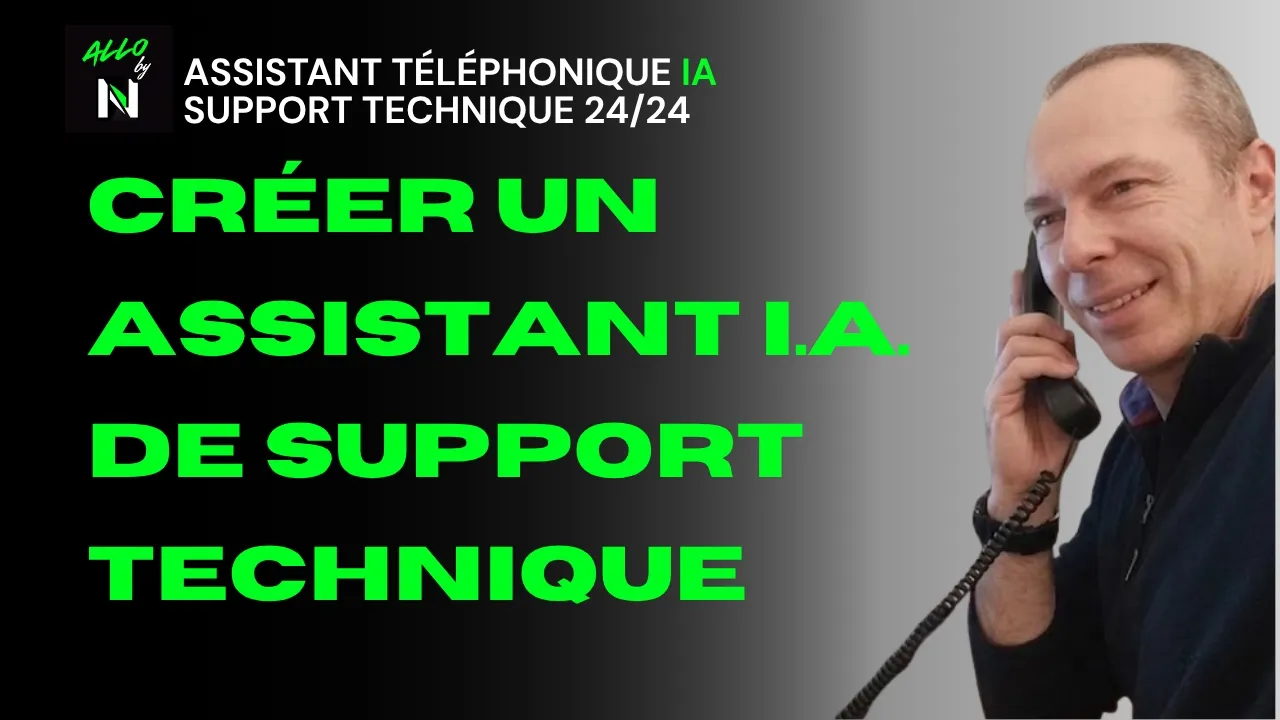
In this ALLO by Numericia tutorial, you will learn how to set up a voice agent capable of handling common telephone support requests, 24/7, relying on your technical documents in real time. And when the request exceeds its scope: it transfers to a human.
Test ALLO (free & no commitment): https://numericia.fr
TUTORIAL OBJECTIVE
Deploy into production (or at least into real testing) an AI voice agent that:
- automatically answers calls, 24/7
- understands the caller, adapts to their language if necessary
- relies on a knowledge base (e.g., technical manual) during the call
- responds with a natural, professional, stable tone
- escalates intelligently (transfer to a human, appointment scheduling, summary email)
- records, transcribes, and documents the exchange according to your settings and obligations
FOR WHOM?
The demonstration uses a “product” example (a vacuum cleaner) to remain concrete. But the objective is clearly B2B, for environments where the telephone remains a critical channel:
- After-sales service and technical support
- hotlines and contact centers
- e-commerce (order tracking, returns, product questions)
- operations teams (incidents, internal requests, on-call duties)
- SaaS / IT publishers (level 1 support, triage, qualification)
WHY AN AI VOICE AGENT IS A GAME CHANGER (REALLY)
A well-framed AI voice agent is not “a gimmick.” It is an operational system that removes friction and restores speed to your support.
What you gain, concretely:
- Total availability: the caller gets an immediate response, even at night, on weekends, and on public holidays.
- Consistent quality: the agent does not get tired, does not get annoyed, does not “rush through” a call at 6:45 PM.
- Fewer interruptions: your team is only contacted when necessary.
- Traceability: transcription, recording, post-call summary → better continuity and control.
- Standardization: same rules, same boundaries, same service level, regardless of call volume.
Key point: the agent does not replace your experts. It protects their time. It absorbs level 1, qualifies, documents, and escalates.
WHAT YOU WILL SEE (STEP BY STEP)
- Create and assign a telephone number in the application
- Add a technical document to the knowledge base
- Create the AI voice agent from a template, then customize the prompt
- Activate key features according to your support context
- Test the agent in a real scenario (call)
- Obtain the expected result: reliable 24/7 support + escalation when necessary
PREREQUISITES (TO AVOID A “PRETTY POC” THAT IS UNUSABLE)
Before configuring anything, you must decide 3 things:
- What type of calls the agent should handle (and should not handle).
- What the escalation rule is (when to transfer to a human?).
- What your documentary source of truth is (the “manual” that must be authoritative).
Without these 3 points, you will have an agent that “talks” well… but puts your support at risk.
Operational advice: start with a simple and highly profitable scope (the 20 most frequent questions). Then expand.
STEP 1 — CREATE & ASSIGN A TELEPHONE NUMBER IN ALLO
Objective: give your agent a real telephone presence, reachable. You can also choose to forward calls to this number whenever you see fit.
What you do:
- Create a number directly in the application
- Choose a number from those available
- If needed, select / rent a new number
Why this is strategic:
- You can dedicate a number to support (or to a product range, or a country).
- You separate your flows (support / sales / after-sales service / emergencies).
- You measure volume, reasons, peaks, and optimize.
Best practices:
- If you operate internationally, plan for local numbers (better trust, better response).
- If you have contracts or service level agreements (SLAs), dedicate a “premium” number to contracted clients.
STEP 2 — ADD A TECHNICAL DOCUMENT TO THE KNOWLEDGE BASE
Objective: the agent must rely on your documents during the call, in real time, instead of “improvising.”.
Example used in the demo: maintenance-manual-Rowenta-Air-Force-360-RH9057WO-vacuum-cleaner
This point is the core of AI technical support. Without a documentary base, an AI voice agent can:
- answer off-topic,
- be too vague,
- give an incorrect procedure,
- create an operational (and sometimes legal) risk.
With a properly populated knowledge base, the agent can:
- cite the exact procedure,
- guide step by step,
- verify prerequisites,
- conclude with clear instructions.
Tips for a “support-proof” knowledge base:
- Prioritize official documents: manuals, maintenance sheets, internal procedures, after-sales service scripts.
- One document = one version. Implement an update rule (otherwise the AI may respond using an outdated procedure).
- Add your internal policies: return conditions, warranty, deadlines, safety instructions.
- Clarify what the agent is not allowed to say (e.g., electrical diagnostics, safety, compliance).
STEP 3 — CREATE THE AI VOICE AGENT (CUSTOM MODEL + PROMPT)
Objective: start from an integrated model, then precisely customize the agent’s behavior.
- Start from an integrated model. The benefit: you save time on structure (greeting, qualification, conclusion, escalation).
- Freely customize the prompt. This is where you transform a “generic agent” into a useful, reliable agent aligned with your brand.
Elements to define in the prompt (minimum):
- Tone: calm, friendly, professional, solution-oriented.
- Rules: ask clarifying questions before proposing a solution.
- Method: explain step by step, verify each step.
- Limits: what the agent refuses (safety, legal topics, out-of-scope requests).
- Escalation: when and how to transfer to a human (emergency, dissatisfied customer, technical blockage).
- Traceability: always summarize the problem and the proposed solution at the end of the call.
“Technical support” recommendation: Ask the agent to always end with:
- “Would you like me to recap the steps?”
- “Would you like me to transfer you to a technician / schedule a callback?”
- “I can send you a summary by email if you wish.”
STEP 4 — ACTIVATE KEY FEATURES (ACCORDING TO YOUR CONTEXT)
Objective: transform the agent into an operational support component, not just a conversational agent.
Feature 1: call transfer to a human. Activate if:
- you have a reachable support team (even partially)
- you want to avoid having the agent handle sensitive cases
Best practices for transfer:
- conditional transfer: only after qualification
- transfer with context: ideally, the human should receive the summary (reason, product, steps already attempted)
- if no one answers: the agent proposes an alternative (appointment, ticket, email)
Feature 2: caller language detection. Activate if:
- you receive multi-country calls
- your customer base is not 100% French-speaking
Objective: avoid friction within the first 10 seconds.
Feature 3: appointment scheduling. Activate if:
- you provide support by appointment
- you have rare experts (N2/N3) and want to protect their time
- you want to schedule qualified callbacks
The appointment becomes a clean escalation mechanism: the agent filters, then books the right slot.
Feature 4: post-call summary email. Activate almost systematically. Why: good support also relies on memory. The post-call summary reduces:
- unnecessary callbacks (“what did you tell me again?”)
- handling errors
- conflicts (“I was promised…”)
Feature 5: transcription. Essential for:
- quality control
- improving scripts
- training your teams
- analyzing contact reasons
Feature 6: conversation recording. Useful, but must be regulated.
- inform the caller according to your local obligations
- define a retention period
- secure access (support, quality, legal)
Important note: if you enable recording, check your information/consent obligations according to your country and processes.
STEP 5 — TEST CALL (REAL-WORLD SIMULATION)
Objective: move beyond “interface testing” and validate the agent under the conditions that matter: a real call.
Recommended test scenario (technical support):
- caller in a hurry, non-technical
- caller who has already attempted 2 things
- caller providing incomplete information (model, reference, symptom)
- dissatisfied caller (escalation test)
What you should measure:
- latency (conversation fluidity)
- The ability to clarify before acting
- The relevance of responses derived from the knowledge base
- The ability to conclude properly (summary + next step)
- The accuracy of escalation (neither too early, nor too late)
EXPECTED RESULT At the end, you obtain:
- an agent always available
- friendly, consistent in service quality
- who never gets upset
- who handles routine requests
- then transfers when necessary
In other words: a true, industrialized “Level 1” voice agent that protects your human staff and improves the customer experience.
BEST PRACTICES (FOR “PRODUCTION” SUPPORT QUALITY)
- Define the scope in black and white Examples:
- Yes: standard procedures, basic troubleshooting, product information, status updates, appointment scheduling.
- No: sensitive commercial decisions, electrical safety, legal advice, critical diagnostics.
- Design an escalation that never leaves the caller stuck Always offer an exit:
- human transfer
- scheduled callback
- ticket/email
- appointment
- Keep the knowledge base up to date A support agent responding with an outdated procedure is worse than no agent.
- Use transcripts to improve Each week:
- top 10 reasons
- top 10 misunderstandings
- top 10 escalations Then adjust prompt + documents + rules.
- Standardize the “end of call” Summary + confirmation + next action. This is what creates the feeling of professional support.
FAQ
What is an AI voice agent for technical support?
It is an intelligent phone assistant that answers calls, understands requests, relies on a knowledge base (manuals, procedures, FAQs), and resolves simple cases. It escalates to a human when the request exceeds its scope.
Can the agent actually use a technical manual during the call?
Yes, if you add your documents to the knowledge base. The agent relies on them in real time to guide the caller step by step, rather than giving generic answers.
Is it suitable for B2B?
Yes. After-sales service, technical support, hotlines, operations teams, contact centers: anywhere where availability and rapid qualification save time and prevent incidents.
Can the agent transfer to a human?
Yes. Call transfer is a key feature. It can be triggered based on rules: urgency, failure after X steps, dissatisfied customer, out-of-scope request, etc.
Can language detection be activated?
Yes. Automatic language detection improves the experience from the first seconds and reduces misunderstandings.
Can a summary email be sent after the call?
Yes. This is highly recommended: the post-call summary reduces callbacks and improves traceability.
Transcription and recording: is it legal?
This depends on your country and your information/consent obligations. If you activate recording, implement an information message, a retention policy, and access control.
How to test ALLO by Numericia?
You can test it for free and without obligation via https://numericia.fr
CONCLUSION + NEXT STEP
Phone support is an area where performance is measured immediately: wait time, response quality, resolution rate, escalation, satisfaction. A well-configured AI voice agent is not just for show. It saves time, reduces friction, and increases perceived quality.
If you want to move from a tutorial to a proper deployment (scope, rules, escalation, compliance, knowledge base, performance measurement), start by testing the tool.
Test ALLO (free & no commitment): https://numericia.fr
Important note: this demo uses a Rowenta example for educational purposes only. ALLO is not affiliated with Rowenta.