





You are overwhelmed. A client calls to book an appointment — you do not answer. They hang up. The appointment does not happen. With Allo, your AI voice assistant answers on your behalf, checks your calendar in real time, and confirms the appointment directly during the call. Without disturbing you. Without scheduling errors. In this tutorial, I show you how to connect Cal.com to Allo in minutes — even without technical skills. Why connect your calendar to your AI voice assistant? When a client calls to book a slot, two scenarios exist: This is the difference between an answering machine and a real assistant. Why Cal.com? Cal.com is an open-source scheduling tool compatible with most calendars on the market: If your calendar is already synced with Cal.com, your Allo agent automatically has access to it. No need to reconfigure everything. What you need before starting That is all. Connection steps Step 1 — Prepare your Cal.com account If you have not done so yet, create your account on cal.com and connect your primary calendar to it. Cal.com handles the synchronization. Step 2 — Retrieve your Cal.com API key In your Cal.com space: Step 3 — Connect Cal.com in Allo In your Allo dashboard: The connection is immediate. Step 4 — Test in real conditions Call your own line. Ask to book an appointment. Verify that the agent checks your availability and confirms the slot. If the appointment appears in your calendar: it is operational. Concrete result As soon as the connection is active, your AI voice agent can: ✅ Check your availability in real time ✅ Suggest a suitable slot for the client ✅ Confirm and record the appointment ✅ Do this 24/7 — even while you sleep What type of activity is this useful for? This feature is particularly suitable if you are: Create your agent in minutes No Allo account yet? Creating a line and an agent takes less than 5 minutes. No commitment, no credit card required to start. 👉 Try Allo for free at numericia.fr
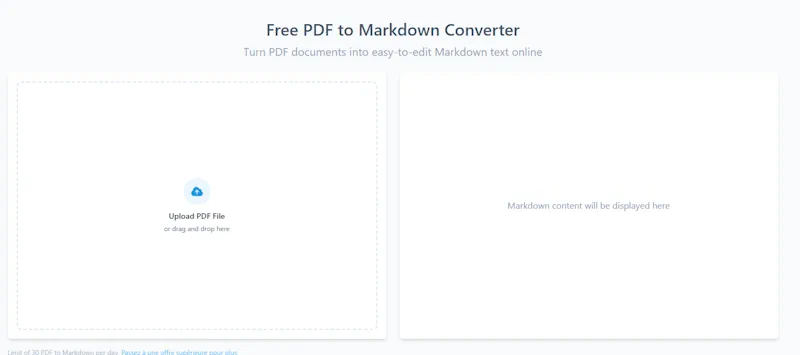
OpenL: Convert your documents to Markdown to boost the performance of your AI voice agents
When configuring an AI voice agent in Allo by Numericia, a significant amount of time is spent refining the prompt. This is normal. However, there is an even more powerful lever, often underestimated: the quality of the documents you place in the knowledge base. In this area, the Markdown format changes everything.,
Create an AI voice agent for technical support by phone (24/7) with ALLO by Numericia: step-by-step tutorial
A technical support line that answers constantly, with natural conversation, low latency, consistent quality… without exhausting your teams: this is exactly what a well-designed AI voice agent enables. In this ALLO by Numericia tutorial, you will learn how to set up a voice agent capable of handling common technical support requests by phone, 24/7, relying on your technical documents in real time. And when the request exceeds its scope: it transfers to a human. Test ALLO (free & no commitment): https://numericia.fr TUTORIAL OBJECTIVE Deploy in production (or at least in real testing) an AI voice agent that: FOR WHOM? The demonstration uses a “product” example (a vacuum cleaner) to remain concrete. But the objective is clearly B2B, for environments where the phone remains a critical channel: WHY AN AI VOICE AGENT CHANGES THE GAME (REALLY) A well-framed AI voice agent is not “a gimmick.” It is an operational system that removes friction and adds speed to your support. What you gain, concretely: Key point: the agent does not replace your experts. It protects their time. It absorbs level 1, qualifies, documents, and escalates. WHAT YOU WILL SEE (STEP BY STEP) PREREQUISITES (TO AVOID A “PRETTY BUT USELESS POC”) Before configuring anything, you must decide on 3 things: Without these 3 points, you will have an agent that “speaks” well… but puts your support at risk. Operational advice: start with a simple and highly profitable scope (the 20 most frequent questions). Then expand. STEP 1 — CREATE & ASSIGN A PHONE NUMBER IN ALLO Objective: give your agent a real telephone presence, reachable. You can also choose to forward calls to this number whenever you see fit. What you do: Why this is strategic: Best practices: STEP 2 — ADD A TECHNICAL DOCUMENT TO THE KNOWLEDGE BASE Objective: the agent must rely on your documents during the call, in real time, instead of “improvising.” Example used in the demo: maintenance-manual-Rowenta-Air-Force-360-RH9057WO This point is the core of AI technical support. Without a document base, an AI voice agent can: With a properly fed knowledge base, the agent can: Tips for a “support-proof” knowledge base: STEP 3 — CREATE THE AI VOICE AGENT (TEMPLATE + CUSTOM PROMPT) Objective: start from a built-in template, then precisely customize the agent's behavior. To frame in the prompt (minimum): “Technical support” recommendation: Ask the agent to always end with: STEP 4 — ACTIVATE KEY FEATURES (ACCORDING TO YOUR CONTEXT) Objective: transform the agent into an operational support component, not just a conversational agent. Function 1: call transfer to a human Activate if: Transfer best practices: Function 2: caller language detection Activate if: Objective: avoid friction within the first 10 seconds. Function 3: appointment booking Activate if: The appointment becomes a clean escalation mechanism: the agent filters, then schedules the right slot. Function 4: post-call summary email Activate almost systematically. Why: good support is also about memory. The post-call summary reduces: Function 5: transcription Essential for: Function 6: conversation recording Useful, but must be regulated. Important note: if you enable recording, check your information/consent obligations according to your country and processes. STEP 5 — TEST CALL (REAL-WORLD SIMULATION) Objective: move beyond “interface testing” and validate the agent under the conditions that matter: a call. Recommended test scenario (technical support): What you should measure: EXPECTED RESULT At the end, you obtain: In other words: a real, industrialized “level 1” voice system that protects your humans and improves the customer experience. BEST PRACTICES (FOR “PRODUCTION” SUPPORT QUALITY) FAQ What is an AI voice agent for technical support? It is an intelligent phone assistant that answers calls, understands requests, relies on a knowledge base (manuals, procedures, FAQs), and resolves simple cases. It escalates to a human when the request exceeds its scope. Can the agent really use a technical manual during the call? Yes, if you add your documents to the knowledge base. The agent relies on them in real time to guide the caller step by step, rather than giving generic answers. Is it suitable for B2B? Yes. After-sales service, technical support, hotlines, ops teams, contact centers: anywhere availability and quick qualification save time and prevent incidents. Can the agent transfer to a human? Yes. Call transfer is a key feature. It can be triggered based on rules: urgency, failure after X steps, dissatisfied customer, out-of-scope request, etc. Can language detection be activated? Yes. Automatic language detection improves the experience from the first seconds and reduces misunderstandings. Can a summary email be sent after the call? Yes. It is highly recommended: the post-call summary reduces callbacks and improves traceability. Transcription and recording: is it legal? This depends on your country and your information/consent obligations. If you enable recording, set up an information message, a retention policy, and access control. How to test ALLO by Numericia? You can test for free and without commitment via https://numericia.fr CONCLUSION + NEXT STEP Phone support is an area where performance is measured immediately: wait time, response quality, resolution rate, escalation, satisfaction. A well-configured AI voice agent does not “look pretty.” It saves time, reduces friction, and increases perceived quality. If you want to move from the tutorial to a clean deployment (scope, rules, escalation, compliance, knowledge base, performance measurement), start by testing the tool. Test ALLO (free & no commitment): https://numericia.fr